
Learn digital marketing.
Build skills
you can use.
Create designs. Build websites. Plan campaigns. Learn digital marketing and AI through a four-month live program with practical tasks and guidance along the way.
Training is free for selected learners after the webinar and selection process. Required tools and setup costs are separate.

What could you do
with your next digital skill?
Build a useful foundation for your own projects, your current work or the services you want to offer.
Create for a brand
Turn ideas into clear designs, captions and content that fit a business.
Build an online presence
Create a WordPress website and understand how people can find it.
Understand marketing
Connect an audience, a message and a campaign goal. Learn to review results.
Eight learning areas.
One practical program.
Explore what you will learn and how you will practise it. Start with the basics and connect your skills across the program.
Understand how a business reaches people online. Learn the role of SEO, social media and advertising, and how to check what is working.
- Search engine optimisation
- Google Business Profile
- Marketing goals & audiences
- Analytics & performance basics
Build a website step by step with WordPress and Elementor. Add pages, images, forms and buttons, and practise layouts that work on mobile and desktop.
- WordPress setup
- Elementor page design
- Mobile-friendly layouts
- Forms, buttons & publishing
Learn how to manage Instagram and Facebook pages for a business. Plan useful posts, write simple captions and create reel ideas. Understand how to reply to your audience and check which content gets a response.
- Profile setup
- Content planning
- Captions & reel ideas
- Audience engagement
Learn how to plan campaigns on Google, Facebook and Instagram. Choose a goal, research an audience, prepare ads and understand the results.
- Campaign setup
- Audience & keyword research
- Ad copy & creatives
- Performance tracking
Have an idea for an ebook, planner or template? Learn how to turn it into a useful digital product. Work through the steps of creating it, setting a price and making it available for customers to buy online.
- Digital product ideas
- Ebooks & templates
- Pricing & product pages
- Payments & downloads
Use AI to develop captions, images, video ideas and ad concepts. Practise giving clear instructions, checking the results and editing content to fit a brand.
- Write better prompts
- AI images & video ideas
- Content planning with AI
- Review & improve outputs
Start designing with Canva, even if you have never used a design tool before. Create social media posts, banners and thumbnails. Learn to choose colours, fonts and layouts that make your message clear and easy to read.
- Social media posts
- Banners & thumbnails
- Colours, fonts & layouts
- Resize & export designs
Learn how to present your work and talk to potential clients. Build a simple portfolio, prepare proposals and decide what to charge. Practise understanding a client’s needs, sharing updates and handling feedback during a project.
- Build your portfolio
- Proposals & pricing
- Client communication
- Project delivery
These topics are included within the program. The detailed session plan and batch timings are shared before you join.
Start with a conversation.
Understand the program, selection process and tools before you decide.
Build work.
Not just notes.
Your practice can become the starting point for a portfolio. Here are examples of the work you can develop during training.
A business website
Bring pages, images, forms and a clear call to action together in a WordPress project.
A content & creative set
Plan posts, write captions and create designs that communicate one clear brand message.
A campaign plan
Connect a business goal with an audience, an ad concept and a way to review results.
You practise.
You ask.
You make progress.
Guidance is part of the learning process. Each topic connects an explanation with something you can try yourself.
Understand the idea
Learn through simple explanations and examples in live sessions.
Try it yourself
Work through practical tasks using the tools covered in training.
Ask and improve
Bring your questions into the sessions and understand your next steps.
Your starting point
doesn’t define your next step.
You do not need to arrive as an expert. You do need time to attend, practise and follow through.
Start with the webinar.
Understand the program.
Get to know the training before taking part in the selection process.
Ask about the webinar
Contact Adstrive for the upcoming webinar details and registration steps.
Attend & understand
Learn about the program, practical work, schedule and required tools.
Take part in selection
Complete the test and selection process explained during the webinar.
Begin your training
Selected participants arrange the required setup and join the live classes.
Clear tool costs.
Selected learners pay no training fee. Tools, domain, hosting, plugins and any paid ad spend may cost extra. Use suitable tools you already own, buy them directly or purchase through Adstrive. Requirements and costs are explained before you decide.
Complete the program.
Earn your certificate.
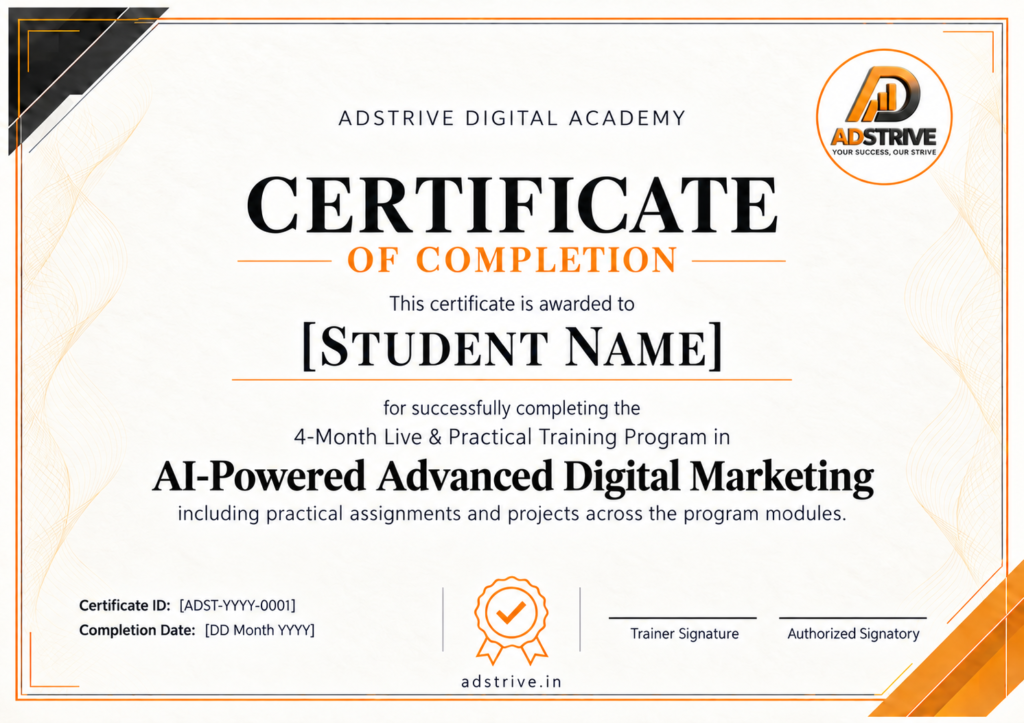
Receive a Certificate of Completion from Adstrive Digital Academy after successfully completing the four-month AI-powered Advanced Digital Marketing program and its required practical assignments.
- Recognises the training you complete with Adstrive
- Add it to your CV, portfolio or LinkedIn profile
- Pair it with the practical work you have created
This is an academy-issued training completion certificate.
A few questions.
Clear answers.
Understand the training, requirements and next steps before you decide.
Yes. The program starts with the basics. You should be ready to attend live sessions, practise regularly and complete the assigned tasks.
Selected participants pay no training fee. Start with the webinar, then take part in the test and selection process. Attending the webinar does not automatically confirm a training place.
No. You can use suitable tools you already have, buy them directly or purchase them through Adstrive. We will explain what is required and any available pricing so you can compare your options.
A laptop or desktop and a stable internet connection are recommended for practical work. You may be able to watch a session on a phone, but website building and campaign tasks are easier on a computer.
Contact Adstrive for the upcoming webinar date, batch schedule and class timings. These details will be confirmed before you join.
After successfully completing the four-month program and its required practical assignments, you receive a Certificate of Completion from Adstrive Digital Academy.
No. The program focuses on learning and practical work. Your opportunities depend on your skills, practice, portfolio and the roles or projects you pursue.
Start with the webinar.
See where you can go.
Ask about the next webinar and tell us what you would like to learn. We’ll help you understand the program and the selection process.
Get the next webinar details
Get the upcoming webinar details, batch information and answers to your questions.
Contacting us does not confirm a training place. Admission follows the selection process.